Instagram carousels for photographers
A set of photographs rarely fits Instagram's one shape. msnry lays the whole set into a single grid across the carousel, so upright and wide frames sit together and each one gets a crop you choose.
One shape for every photo
Instagram applies one orientation to a whole carousel. Its Help Centre says so directly: the orientation you choose "affects all of the photos or videos in your post", and you can't pick a different one for each (source).
So a set with upright and wide frames in it gets cropped to match, or padded out with borders. A grid avoids both. The photos share one wide canvas, each in its own cell, and the pages are cut from the finished canvas.
In msnry you can drag a photo into a different cell, and pinch it to set the crop inside the cell it's in.
Carousel sizes and resolution
| Page shape | Instagram shows | msnry free | msnry Pro |
|---|---|---|---|
| 4:5 portrait | 1080 × 1350 | 1080 × 1350 | 1638 × 2048 |
| 3:4 portrait | 1080 × 1440 | 1080 × 1440 | 1536 × 2048 |
Sizes are in pixels. Instagram shows photos up to 1080 pixels wide, in shapes from 1.91:1 to 3:4, and sizes down anything larger (Instagram Help Centre, read on 12 November 2026). One post holds up to 20 photos or videos.
msnry saves each page as a JPEG at 100 percent quality with an sRGB profile embedded.
What it takes care of
- Even gaps
- One spacing value for the outer padding and the gutters, held across every page join.
- The opener
- Page one is cut so the edge of the next photograph shows.
- Pin and shuffle
- Pin the photographs that have to stay where they are, then shuffle the rest around them.
- Captions
- Optional, set in one of ten typefaces, boxed in your canvas colour.
- Order
- Exports are numbered and time-stamped, so Instagram's picker lists the pages in order.
- Privacy
- No account and no upload. Your photographs stay on your device, and the app works offline once it has loaded.
Who made it
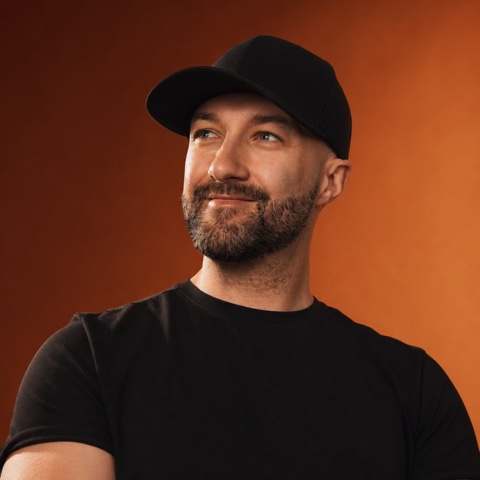
msnry is made by Ryan Stanikk, a commercial photographer in the UK. It began as a Photoshop routine for his own posts: one wide canvas with a guide every 1080 pixels.
His Instagram is laid out with it.
Lay out a set of your own
The free version makes carousels of up to five pages and exports at 1080 pixels wide, with a small tag on the last page. Pro goes up to ten pages, for a one-off £9.99, plus VAT where it applies.